Our catalogue reflects how archives are created, used and kept, and in this way it differs from a library catalogue which searches published material. Archival material is usually described at different levels, from whole collections down to individual files or items. This page explains how to search the catalogue and how to understand your results.
How to Carry Out a Simple Search
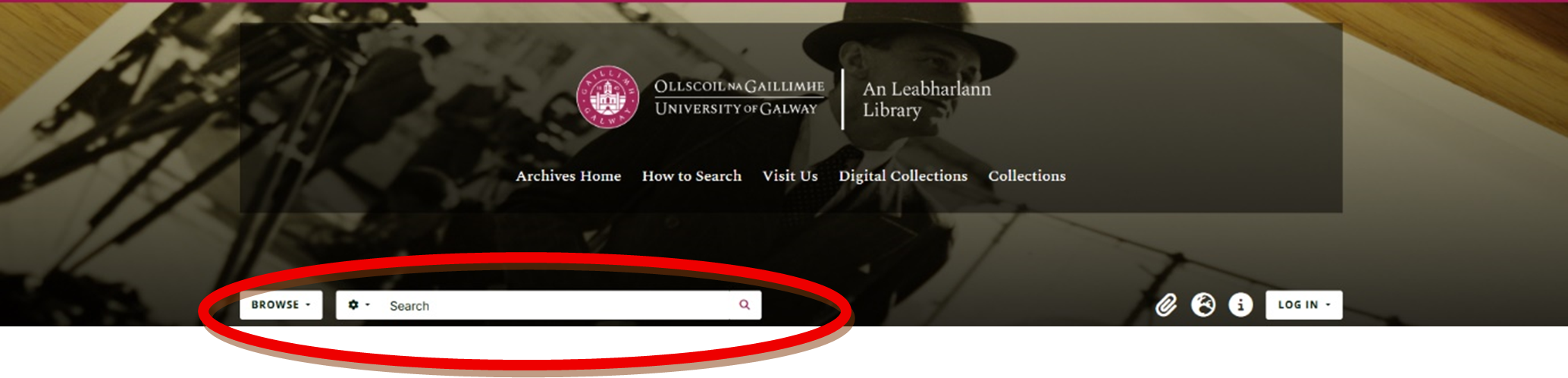
Enter one or more keywords into the search box at the top of the page. The search looks for your terms across titles, descriptions, names, and subjects.
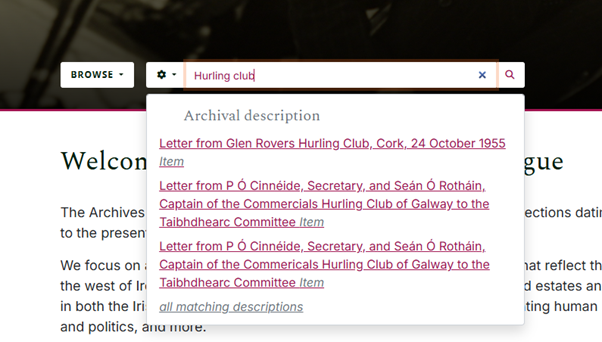
Simple search includes an auto-suggest feature, and therefore as you start typing, suggestions from the catalogue will appear. You can click one that is of interest to you, or continue typing and press Enter / click the magnifying glass next to the search box to see a list of archival descriptions that relate to your search term.
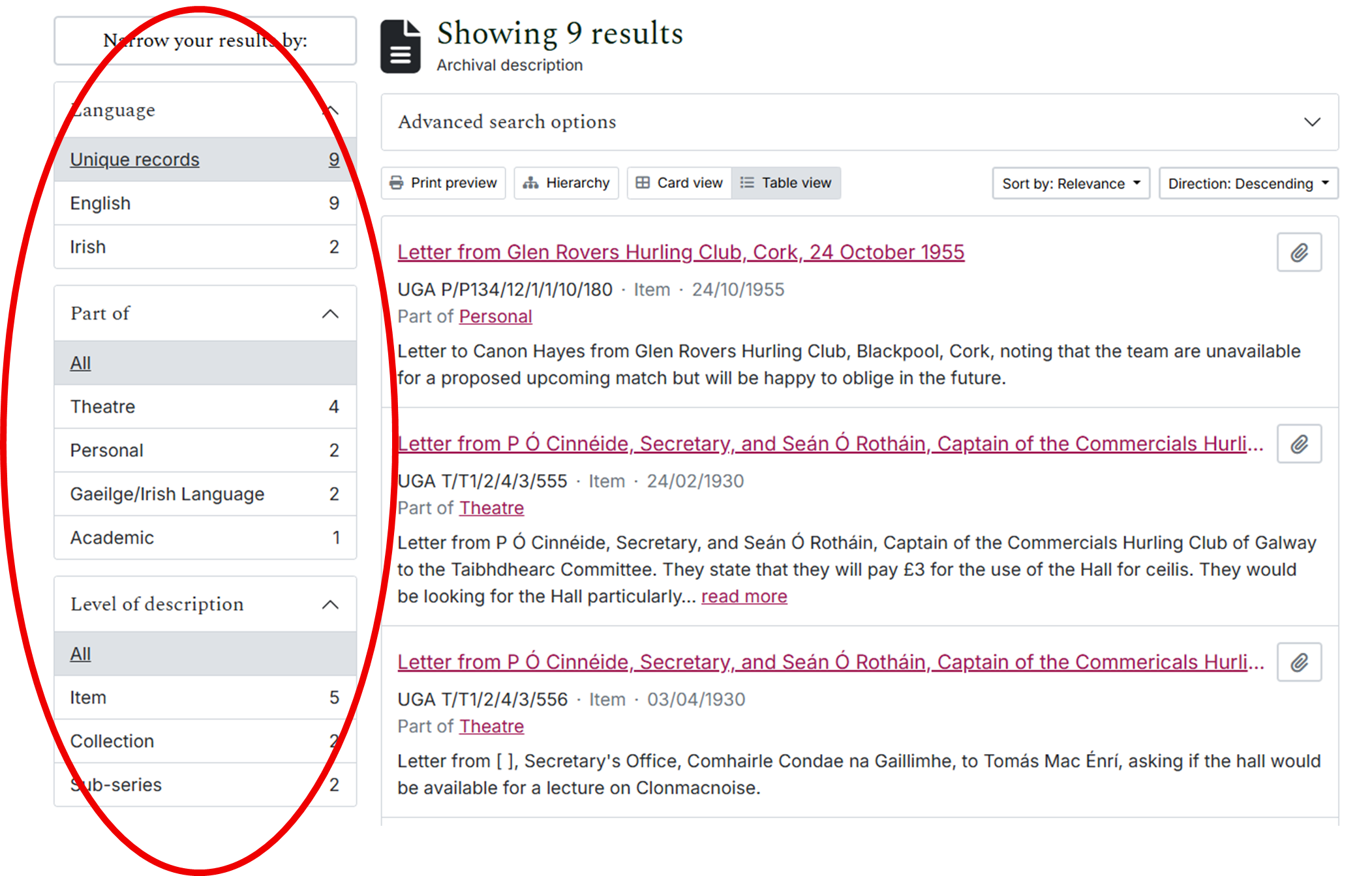
Results may include collections, series, files or individual items. If you have too many results, you can refine your results using the filters on the left-hand side of the screen. Or, you can click on an item of interest to learn more about it.
When you click on a result, it will give you more information, including the contextual records it is stored with, and the archival collection it comes from.
Understanding Search Results
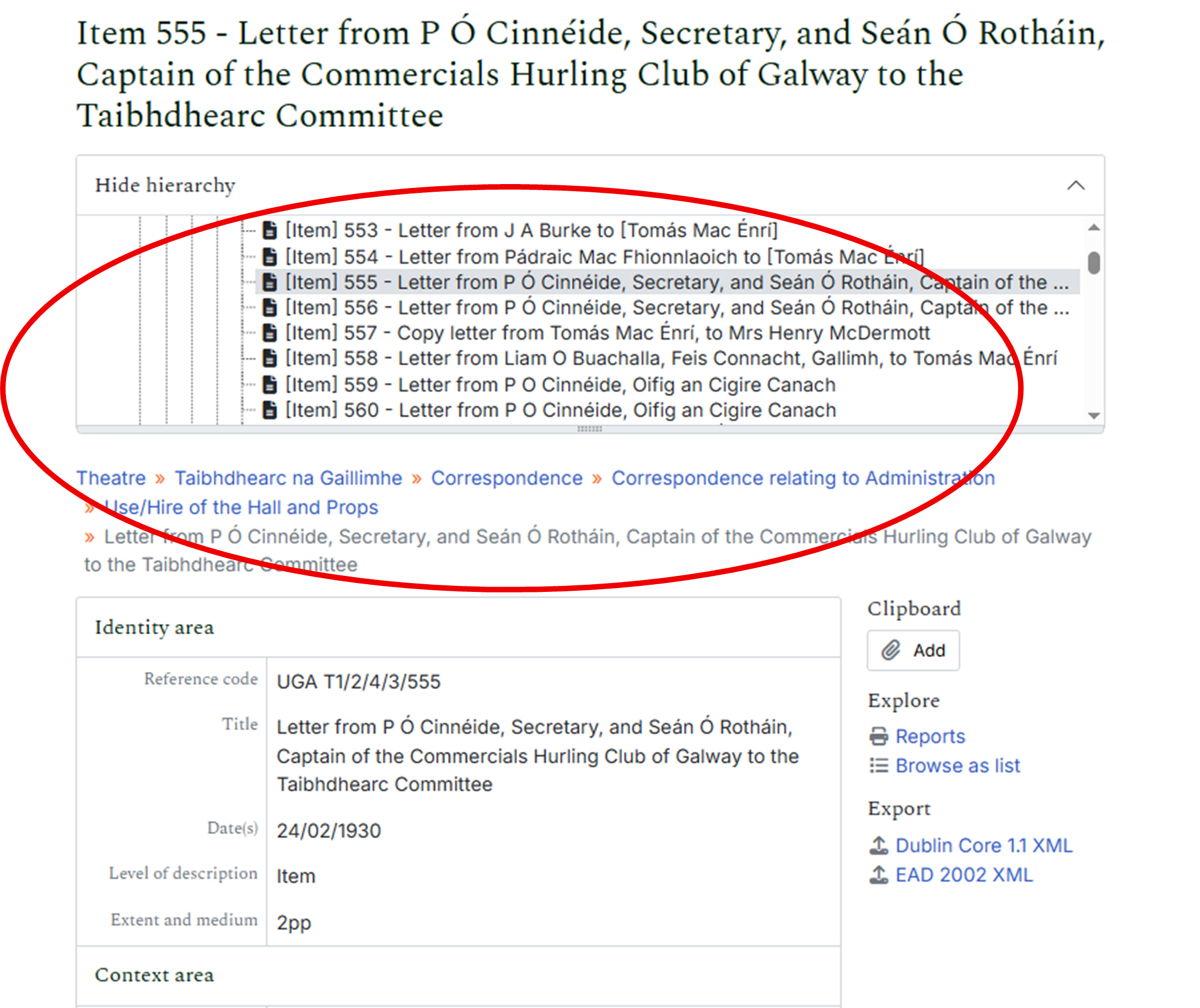
Search results may include descriptions at different levels:
- Collection – the highest level of description, representing the whole archive created by a person or organisation
- Series / Sub-series / Sub-sub-series – groups of related records within a collection
- File – a group of documents kept together
- Item – an individual document or object
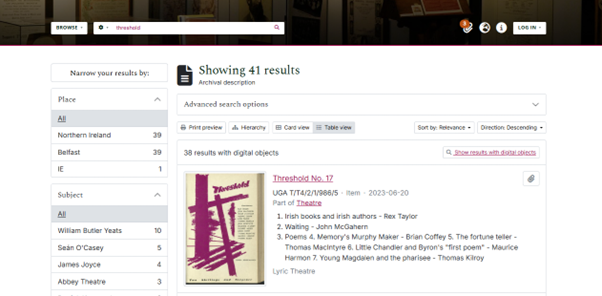
- Results with Digital Objects – where a published digital surrogate of an archival document exists, you can expect to find a preview of it in your search results. Clicking on the thumbnail image connects this archives catalogue with our Digital Library. This is where you can engage with them in more detail.
Tips
- If searching using a known archival reference number, it is a good idea to enclose the reference number in quotation marks. For example
"T1/2/3/555". Although you can search without double quotes, the results won't be as precise. - Double quotes are also recommended when searching for an exact phrase or name, like
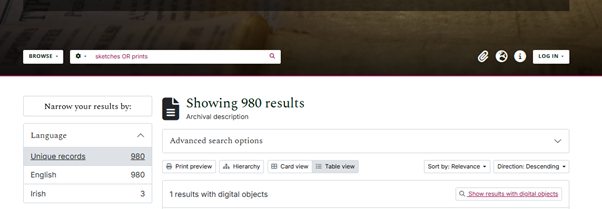
"Lelia Doolan". This ensures the search returns results that contain the exact phrase. - Searching for an occurrence of more than one word: Use OR to ensure your search picks up any occurrence of the words you are searching. Otherwise your results will only include records that mention all words. Note OR should be in capital letters.
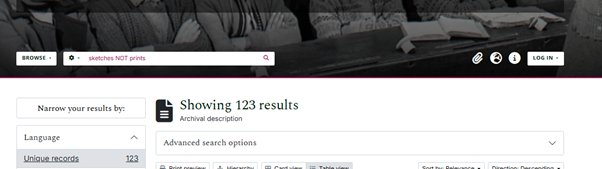
- Excluding search terms: Use NOT to exclude records that contain a particular word or phrase. See example below.
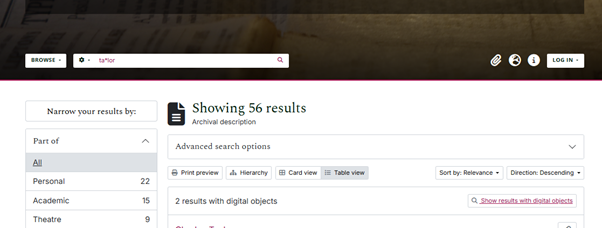
- Allowing for different spellings or plurals: Use the wildcards * or ? to search for words that may be written in singular or plural or that may have different spellings. For example to include results that have both spellings of the word "tailor", try
ta?lororta*loras shown below.
Advanced Search
To access Advanced Search, either click the cog to the left of the simple search box, or use the advanced search drop down menu when browsing or searching archival descriptions:
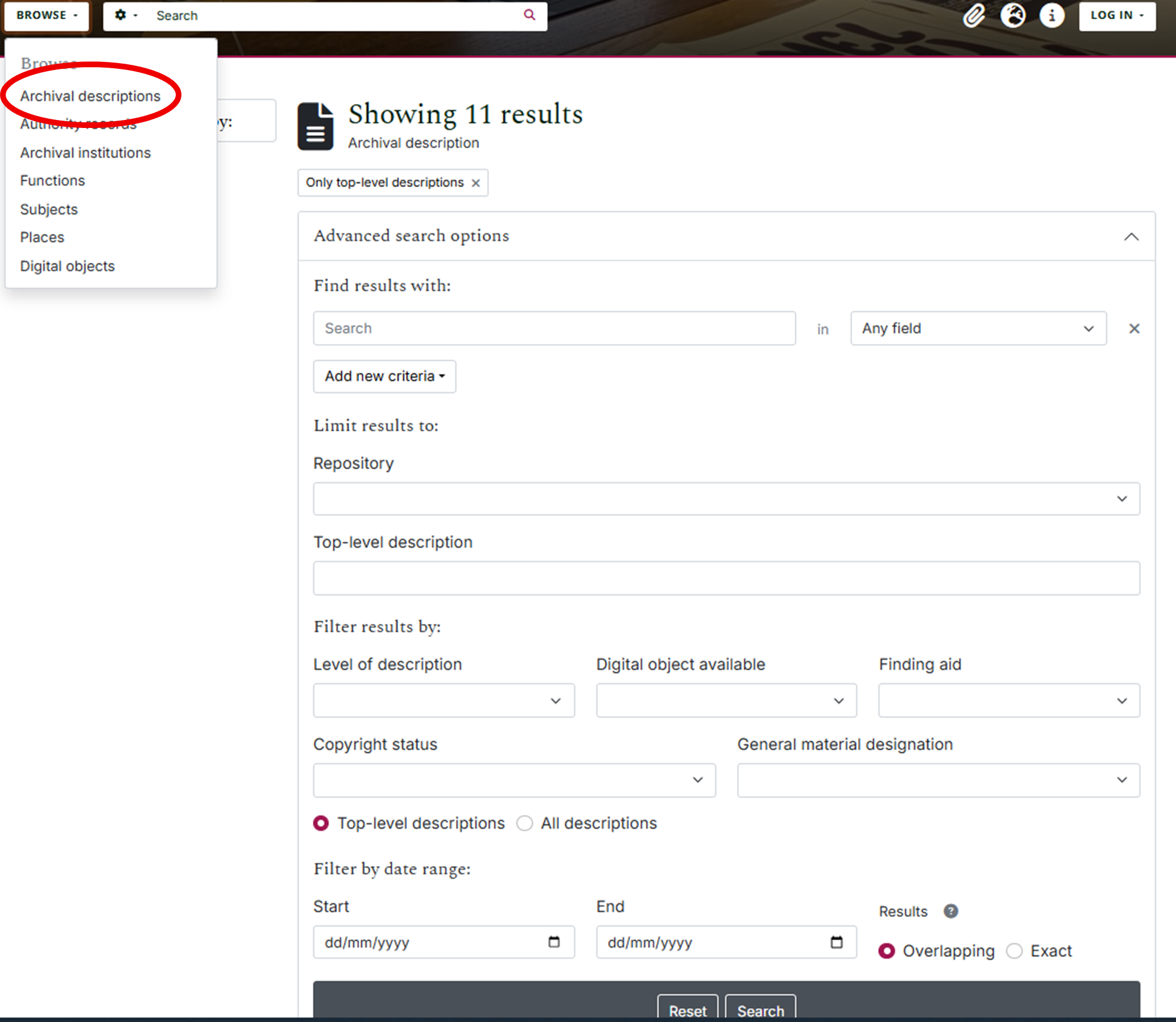
Advanced Search enables:
- Search within a specific date range (selecting overlapping will give more results)
- Target specific fields for keywords or phrases
- Build complex queries using AND, OR, and NOT
Using the Clipboard
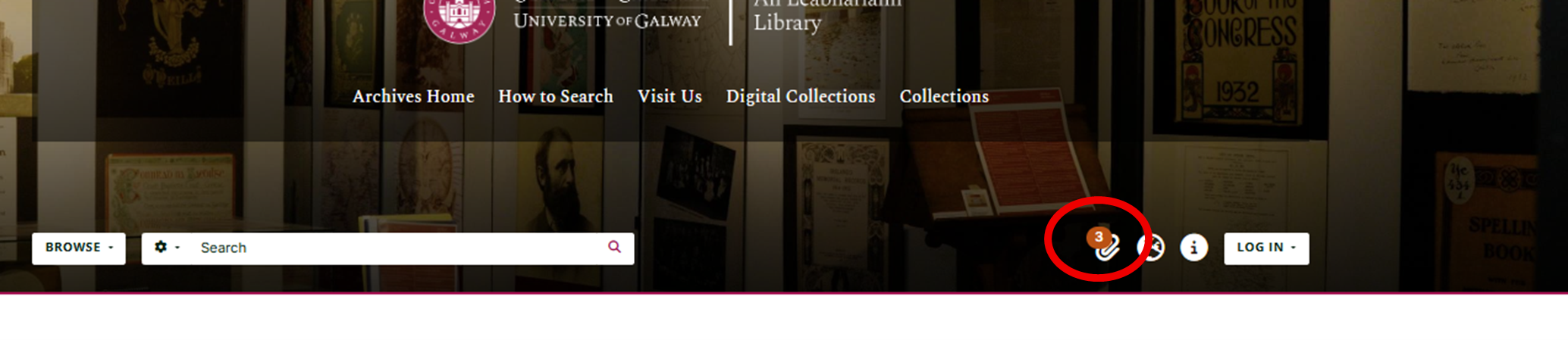
While browsing, you can create a list of records of interest using the clipboard:
- Click the paperclip icon next to a record to add it to your clipboard. The icon changes colour to indicate it is pinned.
- Click the icon again to remove the record from the clipboard.
- Items remain available for the duration of your session.
What Is Not on the Catalogue
- Not all archival material has been fully catalogued, and therefore some records may not yet appear in the catalogue.
- Not all archival material has been digitised; much of the material described here must be consulted in person.
Getting Help
If you need help using the catalogue, understanding your search results, or planning a visit, please contact us at: libarchives@universityofgalway.ie / (+353) 091- 493399